8 XML Tags for Prompting Claude
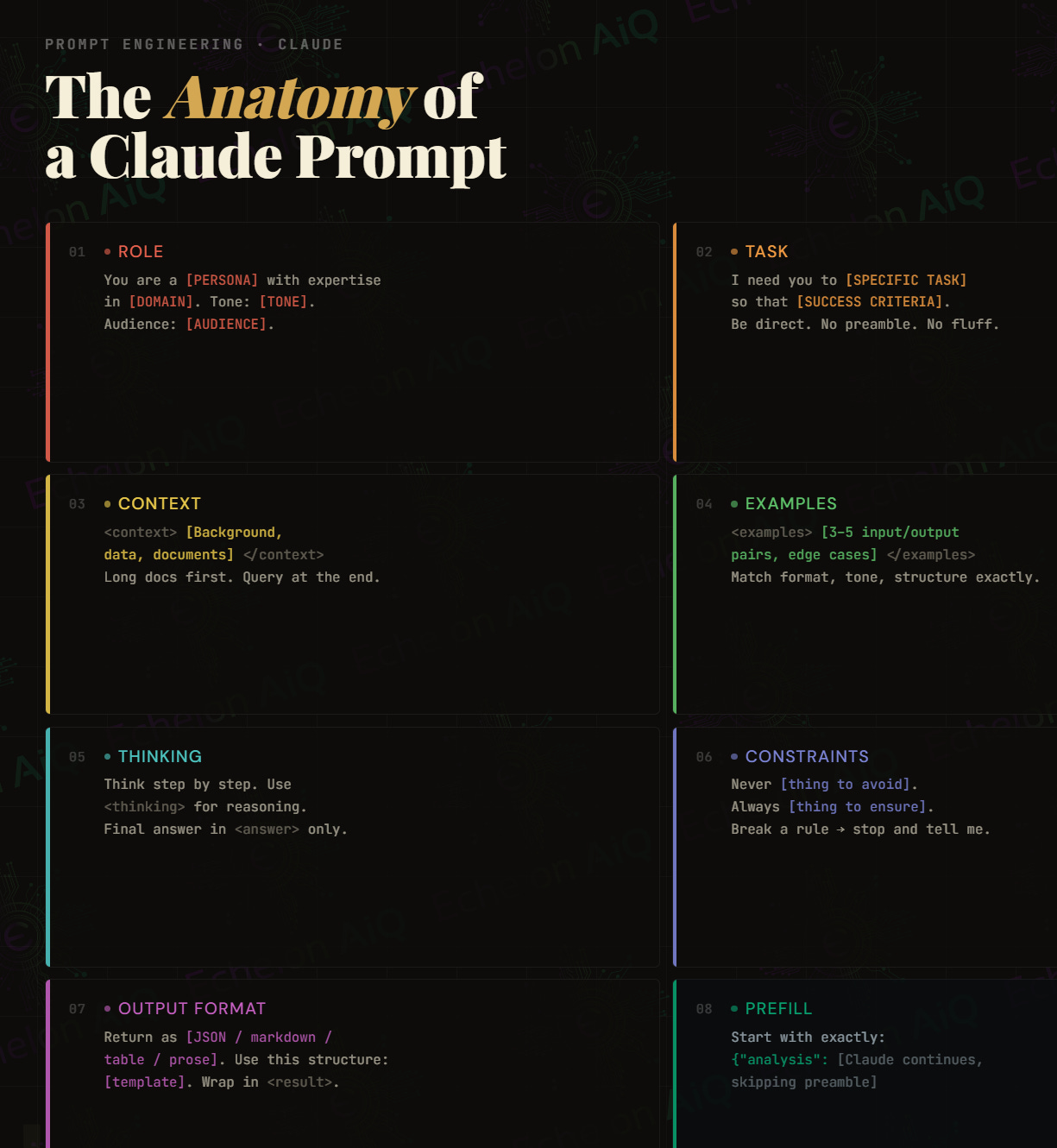
Structured prompts outperform prose prompts. XML tags give Claude unambiguous signal about what each section means — no guessing, no drift.

The biggest shift in how I prompt wasn’t learning new techniques it was learning to separate things. Instructions in one place, data in another, constraints somewhere they can’t get buried. XML tags aren’t just organizational preference. They’re a signal to the model about what role each piece of text plays. Claude doesn’t have to infer where the task ends and the document begins.
The two tags I underused the longest are <thinking> and <examples>. Thinking is like giving the model a whiteboard before the presentation, accuracy on multi-step or ambiguous tasks goes up noticeably when Claude has explicit permission to reason first. Examples are the highest-ROI element in any prompt: one well-chosen input/output pair communicates more than two paragraphs of description.
<constraints> is where I spend the most time during prompt debugging now. When output is drifting — too long, wrong format, bringing in unwanted assumptions — nine times out of ten the fix is a constraint I forgot to add, not a rewrite of the whole prompt.
Building this into the Agentic Systems Engineer curriculum as a Module 1 lab: students get a vague natural-language prompt, then incrementally add each tag and observe how the output changes. By the time all eight are in, they’ll feel the difference — and they won’t want to go back to writing prompts in plain paragraphs.
<thinking>Internal reasoning scratchpad
Instruct Claude to reason step-by-step before producing output. Place it before your final answer tag. Improves accuracy on complex, multi-step, or ambiguous tasks.
<thinking>
Work through the problem here before
answering. Consider edge cases.
</thinking>
<answer>...</answer>
<context>Background the model needs
Everything Claude needs to know before it can attempt the task. Domain, project, prior decisions, relevant data. Keep it factual and concise.
<context>
We are building a FastAPI service
that wraps the Anthropic API.
Streaming is enabled.
</context>
<instructions>The core task directive
Your main ask. Lead with a strong action verb. One primary objective per tag. This is the job — everything else exists to support it.
<instructions>
Refactor the code below to use
async/await and add error handling
for rate limit responses.
</instructions>
<constraints>Hard rules and guardrails
What Claude must not do. Scope limits, excluded approaches, forbidden assumptions. Constraints prevent drift and keep output inside the boundaries you need.
<constraints>
- Do not use third-party libraries
- Do not change the function signatures
- Python 3.10 only
</constraints>
<output_format>Shape and structure of the response
Define the artifact. Code block, JSON schema, numbered list, prose paragraph, table. Specify exactly what a well-formed response looks like. Avoids surprises.
<output_format>
Return a single JSON object:
{ “summary”: str,
“issues”: [str],
“score”: int (1–10) }
</output_format>
<examples>Few-shot anchors
One or two input/output pairs that demonstrate exactly what you want. The single highest-leverage element in any prompt. Show the model what “correct” looks like.
<examples>
Input: “The API timed out”
Output: { “type”: “network”,
“severity”: “high” }
</examples>
<persona>Role and voice assignment
Assign Claude a role. This primes tone, vocabulary, assumed expertise, and how it frames uncertainty. Especially useful in system prompts for agents or tutors.
<persona>
You are a senior solutions architect
doing a design review. Be direct,
skip pleasantries, flag risks first.
</persona>
<input> / <document>The material to work on
Wrap the actual content Claude should act on — pasted code, a document, user input. Separating data from instructions is the most important structural habit in prompt engineering.
<document>
{{ paste_content_here }}
</document>
# Keep data and instructions